

The number on the Home tab is a target you set, not a limit the app enforces.
Where the number comes from
You picked it during onboarding, and you can change it any time under Settings → Study settings → Training Intensity:
| Setting | Hands per day | Time |
|---|---|---|
| Casual | 10 | ≈ 2 minutes |
| Regular | 30 | ≈ 5 minutes |
| Grinder | 50 | ≈ 10 minutes |
The screen frames it as “Adjust your daily hands goal to match your study schedule”.
The progress bar
Until you reach the target, the Home tab reads “Today’s goal:” above “Study N Hands”, with a bar showing how many of those hands you have answered today. Once you get there the text changes to “Congrats! Your daily goal was reached”.
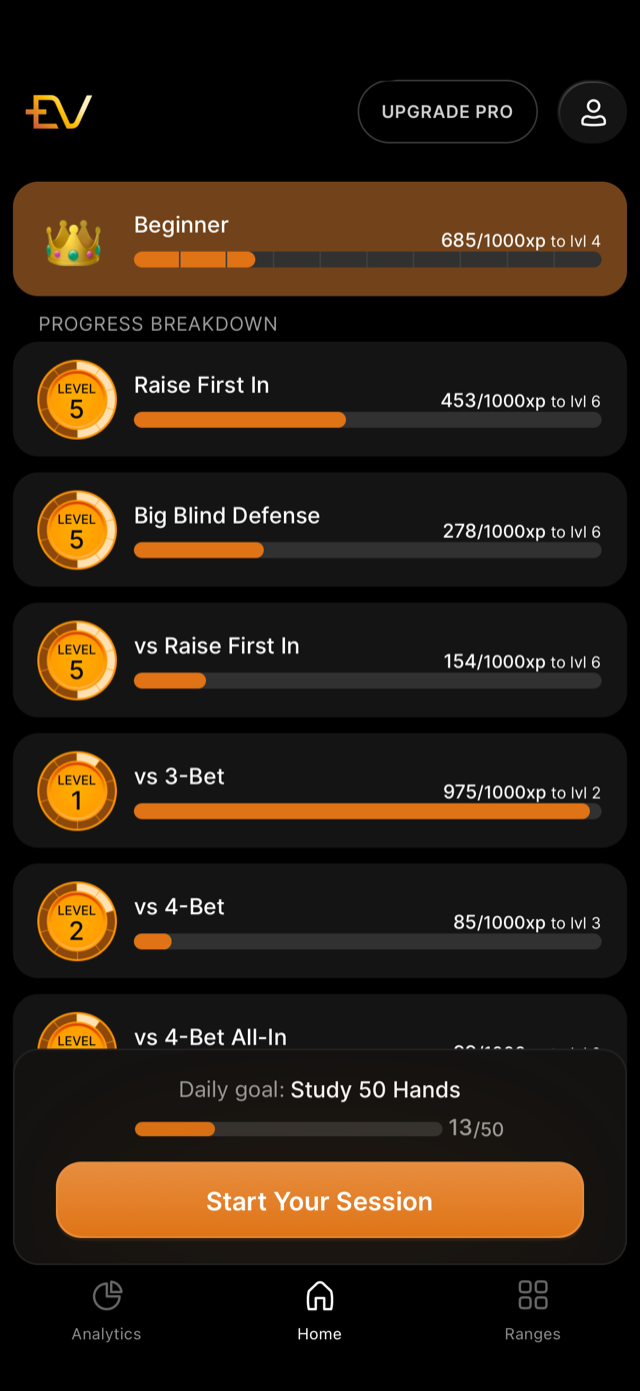
The screenshot is from an earlier build, where the line read “Daily goal:”.
The count is hands answered, not sessions finished. Three short sessions and one long one are the same thing to the bar, and a session you leave early still counts everything you answered in it.
Choosing a number you will actually hit
The targets exist because consistency is what makes spaced repetition work: a hand you review on schedule is worth more than three hands crammed. The onboarding copy makes the same point, promising a plan that “will fit your schedule, not the other way around”. If you are missing the goal most days, the fix is a smaller goal rather than a longer weekend session.