

A session is a run of preflop spots, one at a time. You see the table, your position and the action so far, and you pick what you would do.
Starting one
The Home tab shows “Today’s goal:” and the number of hands you set, with a progress bar underneath and the session button below it. Once you hit the number the text changes to “Congrats! Your daily goal was reached”, and you can keep training past it.
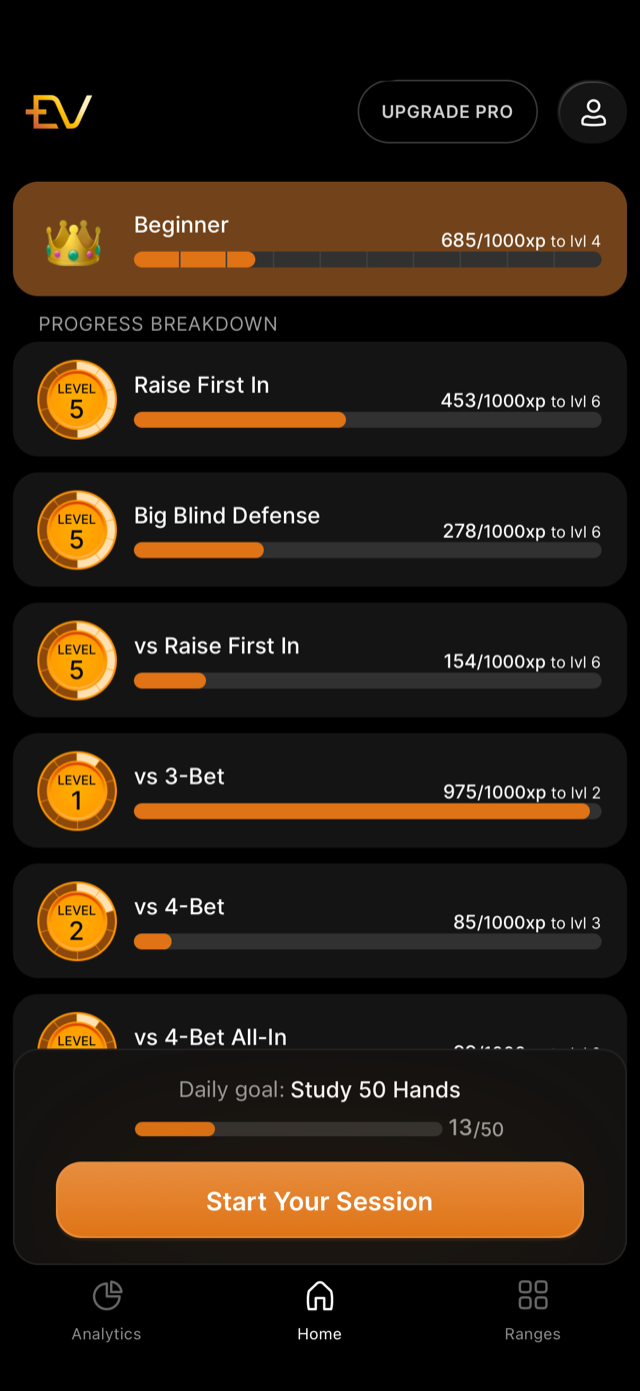
The screenshot is from an earlier build, where the same line read “Daily goal:”.
You can also start a session for one category only, by tapping a category on the Analytics tab and choosing Start Session.
Answering a spot
Each spot gives you everything the decision needs: the action so far as chips along the top, the table with every position and stack, the pot in big blinds, a one-line name for the spot such as “BTN vs UTG 4b”, and your two cards.
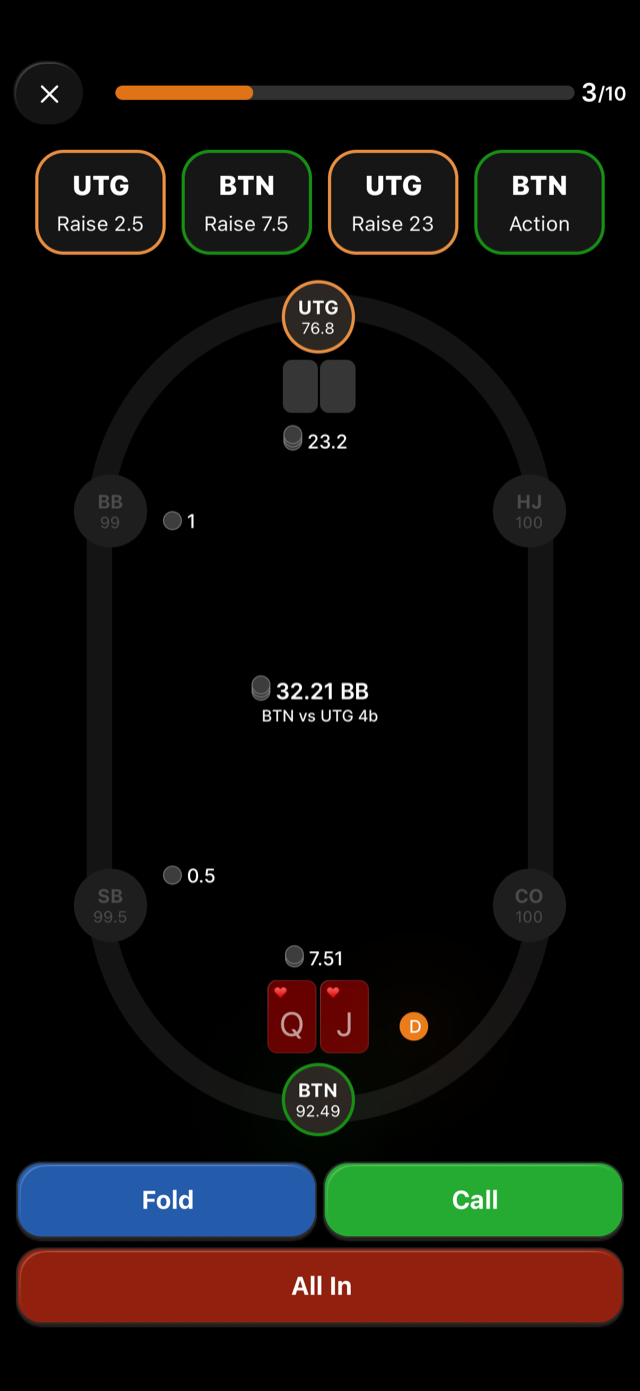
Tapping an action answers the hand. There is no separate confirm step, so the buttons at the bottom are the answer itself: Fold, Call, Raise with its size, and All In where it applies. The one exception is split mode, covered in splits and mixed strategies, where you select several actions and then tap Check Answer.
The counter at the top right, for example 6/12, is how far through the session you are.
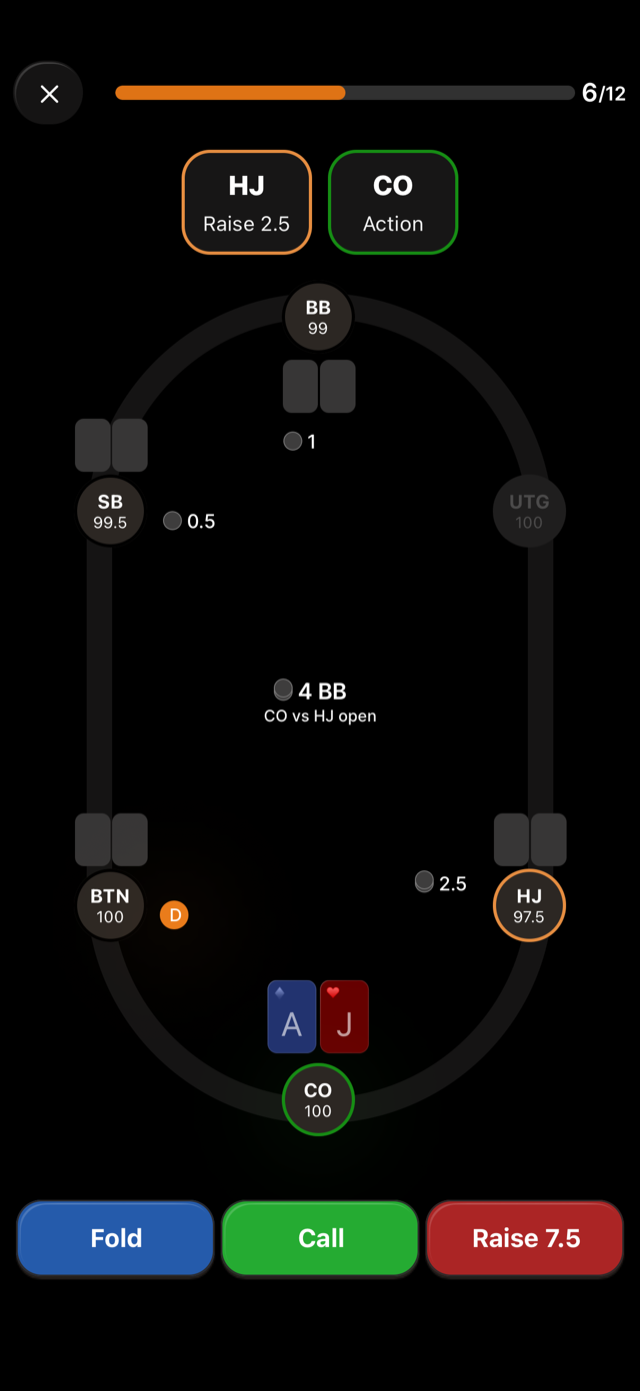
Take the position and the previous action into account before answering. The app’s own first-session tip puts it this way: “Notice what position you’re in, and any previous action in the hand.”
Hands you get wrong
A wrong answer does not end anything. The hand goes into a retry list, and once you have worked through the main hands of the session, those hands come back. Retried spots are marked Review mode at the top, so you always know you are seeing a hand for the second time.
This means the session grows: each miss adds one spot to the end. A session of ten hands with three misses runs thirteen spots.
Leaving early
Backing out of a session asks “End session early?” and tells you: “You’re about to finish this session. All progress up to this point has been saved.” Every hand you already answered counts towards your daily goal and your stats.
Finishing
After the last spot the session results screen appears, with your XP, the categories you moved, and the option to retry individual hands. Everything you answered is saved as you go, not at the end.